

Workflow
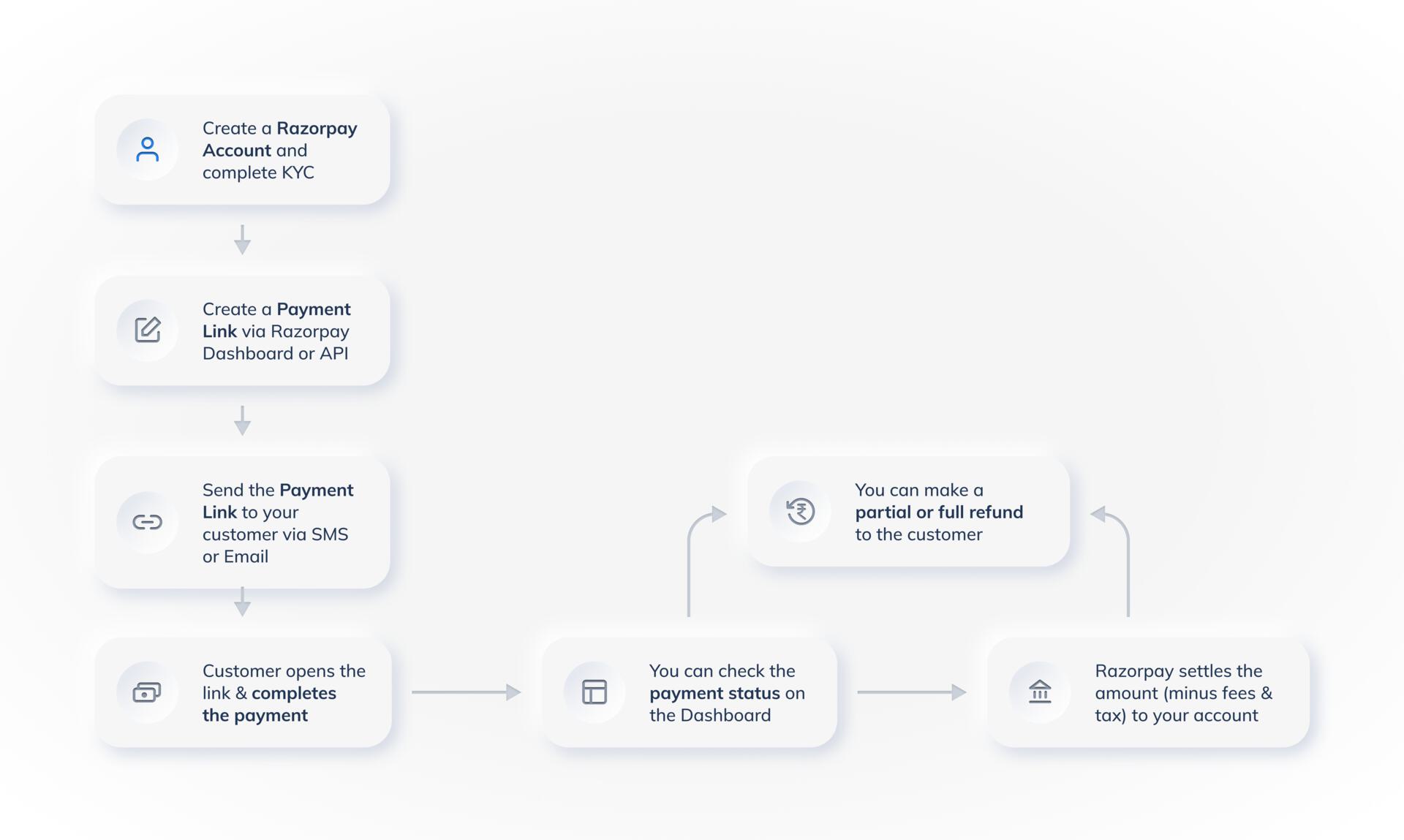
The steps given below give a detailed view on the lifecycle of a Payment Link.Step 1: Create a Payment Link
Step 1: Create a Payment Link
Create a Payment Link by providing all the required details. You can set an expiry date and enable partial payments.
Step 2: Send a Payment Link
Step 2: Send a Payment Link
Send a Payment Link to a customer via email and/or SMS. The customer receives the link via SMS and email. They can open the link and pay using one of the available payment methods.
Step 3: Receive Payments
Step 3: Receive Payments
The customer clicks the Payment Link and tries to make the payment.
- The customer makes the payment. If partial payment is enabled, the customer can choose the amount to be paid.
- The customer chooses the mode of payment.
paid or partially paid. You receive a notification about the payment.Handy TipsAfter the payment is captured, the amount is settled to your account as per the settlement schedule. Know more about payments, settlements and refunds .
Step 4: Track Payment Links and Reports
Step 4: Track Payment Links and Reports
- Notifications: You receive notifications regarding activity on Payment Links via emails and webhook. Know more about subscribing to Webhooks.
- Track Payments: Track payments made against the issued Payment Links on Dashboard. Click Payment Links from the left menu. All the links are listed with their status under Payment Links.
- Reports: Detailed insights can be gained using reports and real-time data on the Dashboard. These reports can then be used for accounting and reconciliation purposes. Know more about reports.