Available in🇮🇳 India🇲🇾 Malaysia🇸🇬 Singapore🇺🇸 United States
Order is an important step of the payment life cycle at Razorpay Curlec. When a customer clicks the pay button on your website or app, an order is created with a unique identifier. This contains details such as the transaction amount and currency. The order id secures the payment request and one cannot tamper with the order amount. Pass this order id to the Razorpay Curlec Checkout.
You need to integrate your server with Orders API before proceeding with Razorpay Curlec Payment Gateway integration on your website or app.
Advantages
- Single successful payment bound to an order. Prevents multiple payments.
- Quick and easy query in the database. Combines multiple payment attempts for a single order.
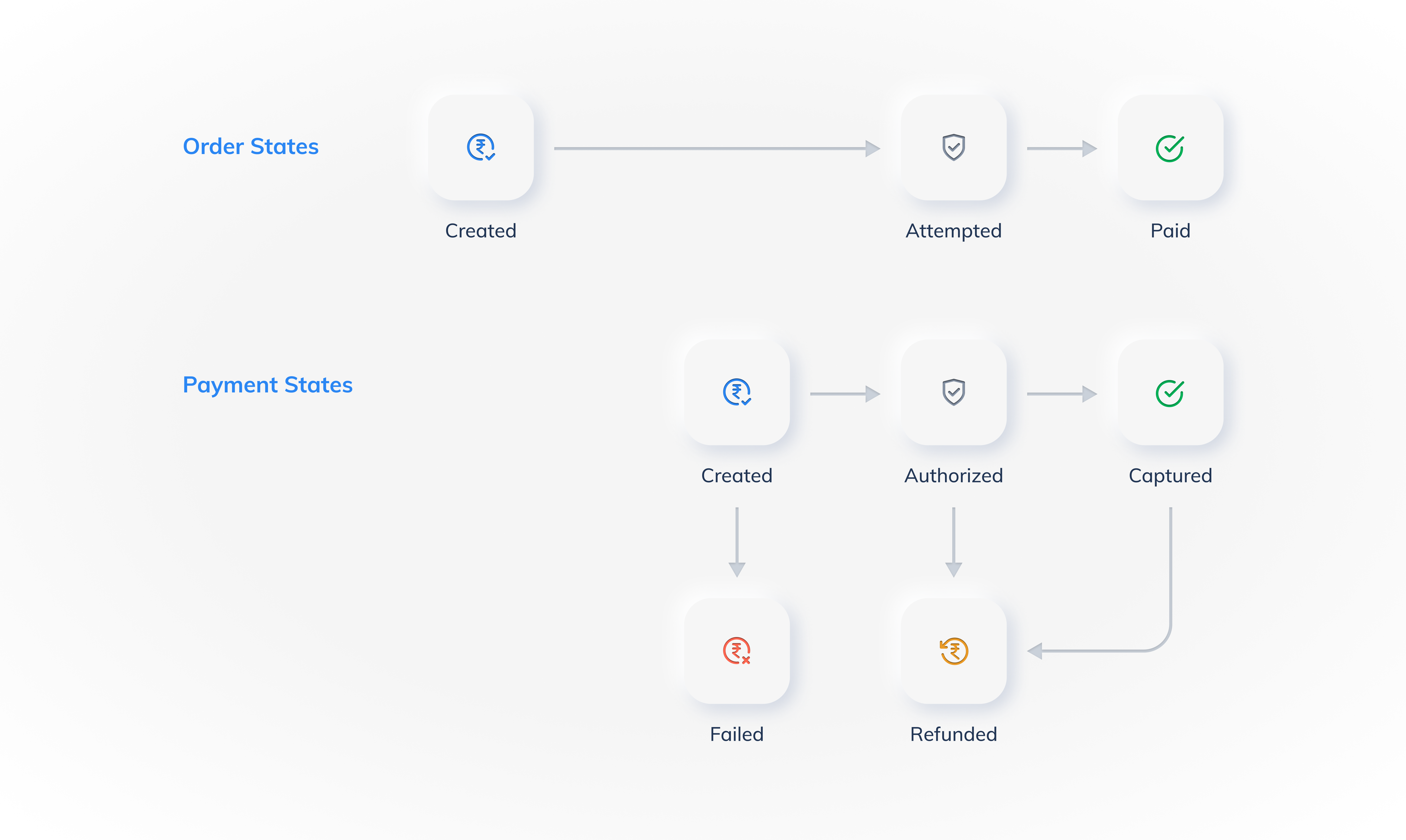
Order States
Following are the various states of an order:Order and Payment Flows
Following is a pictorial representation of how order and payment flows are closely related: